Test the permutations
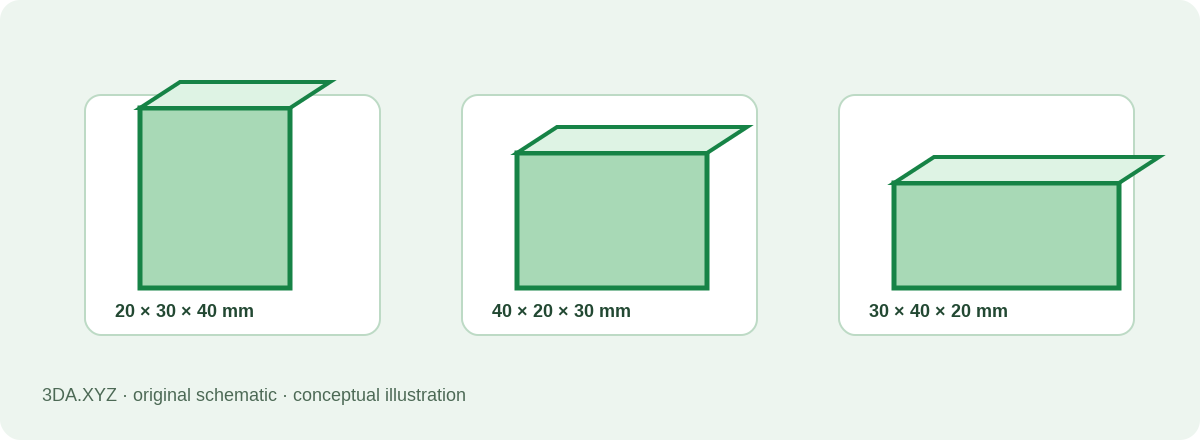
For a rectangular bounding box with three unequal dimensions, there are six ways to assign those lengths to the printer’s X, Y and Z axes. Check each assignment against the usable printer volume after allowing room for safety margin.
A 200 × 120 × 260 mm model does not fit a 220 × 220 × 250 mm volume upright because it is 260 mm tall. If turned so its 260 mm dimension lies along X or Y, it may exceed the 220 mm horizontal limit. Therefore none of the six axis-aligned orientations fit that nominal build volume.
Account for margin
When the tool asks for a per-side clearance, it subtracts that margin from both sides of every axis. A 5 mm margin means the available X span is X−10 mm. This makes the result conservative and easy to audit.
An actual build plate may have clips, purge areas, restricted corners or variable usable dimensions. Check the manufacturer profile and your slicer’s bed visualization rather than relying on quoted nominal dimensions alone.
Fit is necessary, not sufficient
The calculator does not try arbitrary diagonal placement, part splitting, support generation or bed adhesion. A diagonal orientation might let a part fit where axis-aligned permutations fail, but printer movement boundaries and collisions must still be checked.
Even if the bounding box fits, a brim, raft or support structure might extend beyond the usable area. Review the full sliced footprint before printing.
Worked example
A 20 × 30 × 40 mm block should fit a 220 × 220 × 250 mm build volume in all six axis-aligned permutations, even with a few millimeters margin.
Important limitation
A “fits” result is not proof that a long diagonal part, its supports or the printer toolhead clearance will work.
Practical checklist
- Measure full part X/Y/Z
- Confirm real printer usable volume
- Set a reasonable clearance
- Compare six axis assignments
- Inspect brim and supports in slicer
Common questions
Can rotation change model volume?
Rigid rotation preserves volume but redistributes its X/Y/Z bounding extents.
Does the tool check 45-degree rotation?
No. It checks only six 90-degree axis assignments, not arbitrary orientations.
Primary references
External specifications provide format or process context; the examples and calculations here are original 3DA explanations.
Beyond the bounding box
The calculator tests the six axis-aligned orientations of the bounding box. Real fit also depends on:
- Brims and skirts, which add several millimetres around the first layer.
- Purge lines and wipe towers on multi-material printers.
- Usable vs advertised volume: clips, probes and exclusion zones can reduce it.
- Diagonal placement: a long thin part may fit across the diagonal when it does not fit along X or Y — length of the diagonal of a W × D bed is √(W² + D²).
If nothing fits, split the model into pieces with alignment pins (design rules), or scale it in the Studio.
Check your understanding
1. A 220 × 220 mm bed has a diagonal of about…
√(220² + 220²) ≈ 311 mm.