What OBJ keeps
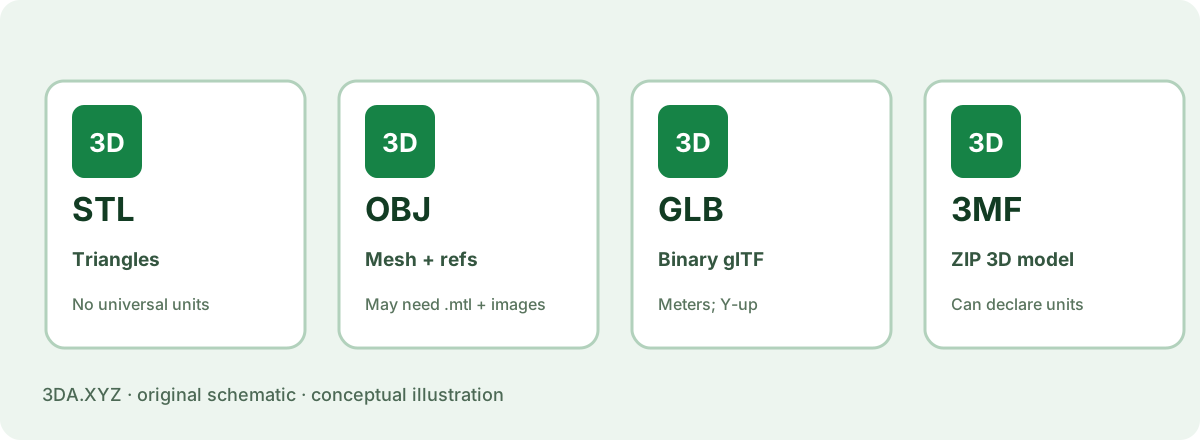
A typical OBJ file contains vertices, texture coordinates, normals and polygonal faces. It can reference a separate material library and image textures; moving only the OBJ may leave its material appearance behind.
OBJ does not define a universal scene unit. For a measured model, record the intended units independently and check the receiving application. An OBJ can also contain multiple named groups or objects depending on the exporter.
What GLB keeps
GLB stores a glTF asset in a binary container suitable for web rendering and digital pipelines. glTF 2.0 defines meters as its unit for linear distances and uses a right-handed coordinate system with +Y upward.
For our known 20 × 30 × 40 mm block, the GLB is expressed in meters and axes are transformed from a Z-up source. A raw bounding box in one coordinate frame need not have the same axis ordering as its OBJ counterpart. After normalizing those conventions, the model geometry should agree.
Use the receiving tool as the test
For a simple editable mesh in an established DCC workflow, OBJ can be appropriate. For a browser viewer or asset pipeline that supports glTF, GLB is often the better starting point. Applications may support only subsets of features, so validate appearance and animation where relevant.
The 3DA inspector opens local OBJ/STL. It does not import GLB or 3MF directly; those formats are provided here as downloadable reference files for compatible tools.
Worked example
Compare the original 20 mm cube as OBJ and GLB. The OBJ coordinates are in millimeters by agreement; GLB coordinates are in meters. Both can describe the same physical size after unit conversion.
Important limitation
Do not treat “OBJ supports materials” as a promise that its single .obj file contains every texture. External dependencies are common.
Practical checklist
- Is the destination a web renderer or mesh editor?
- Are textures or materials required?
- Did you include all external OBJ assets?
- Did units and axes survive?
Common questions
Is GLB always smaller?
No. File sizes depend on asset contents, exporter and compression, not merely the extension.
Can 3DA view GLB uploads?
The local viewer currently supports OBJ and STL; GLB is provided for download.
Primary references
External specifications provide format or process context; the examples and calculations here are original 3DA explanations.
Side by side
| OBJ | GLB | |
|---|---|---|
| Files | .obj + .mtl + images | One binary file |
| Materials | Basic (Phong-style) | PBR metallic–roughness |
| Animation | No | Yes (skinning, morph targets) |
| Units / up axis | Not stated | Metres, Y up |
| Size (65k-triangle sphere, our benchmark) | 2.21 MB | 0.78 MB |
| Best for | Exchange between modeling apps | Web, AR, real-time viewers |