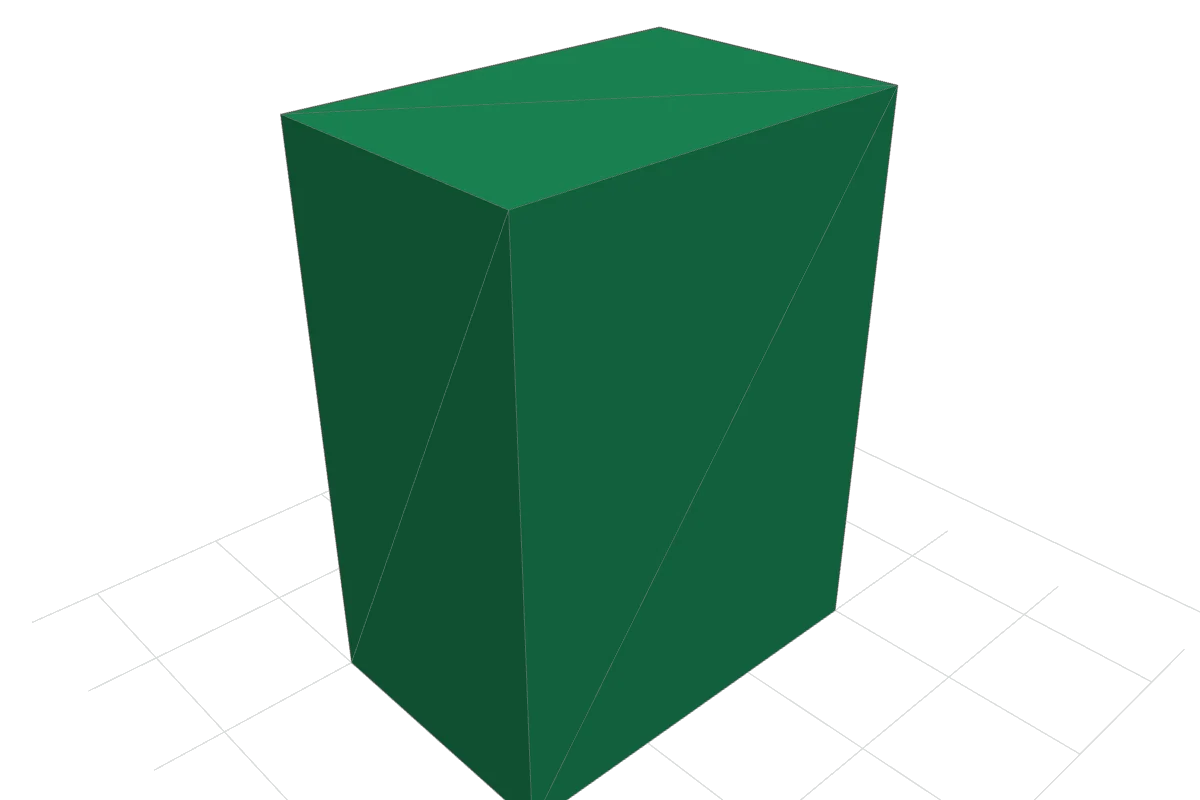
One object, four files
A format comparison is easier to understand when the object stays the same. We generated an original rectangular block with X = 20 mm, Y = 30 mm and Z = 40 mm, then wrote it as OBJ, ASCII STL, binary GLB and a 3MF package. Each file represents the same 12 surface triangles. The intended enclosed volume is 24,000 mm³.
You can download all four files below, inspect the OBJ or STL in our browser tool, and reproduce the generation and read-back checks with the published source. This is a small, reproducible geometry experiment, rather than a benchmark of every capability of these formats.
The measured files
Sizes below are the actual uncompressed file lengths in this release. The 3MF file is itself a ZIP container, so its length includes its internal compression. These particular exports contain no textures, materials or animation. A different exporter or a more complex model can produce a different size order.
| File | Bytes | Coordinate convention | Triangles |
|---|---|---|---|
| OBJ download | 585 | Unitless coordinates; interpret as mm, Z-up | 12 |
| STL download | 1,587 | Unitless coordinates; interpret as mm, Z-up | 12 |
| GLB download | 1,880 | Meters, Y-up; axes converted from the source | 12 |
| 3MF download | 1,152 | Millimeters declared in the model, Z-up | 12 |
The OBJ happens to be the smallest of these four files. That observation applies to this tiny, geometry-only example. It is not evidence that OBJ is the smallest format for larger scenes, textured assets or delivery over a network.
Why the GLB bounds look different
The source mesh uses millimeters with Z as the upward direction. For GLB, the generator divides coordinates by 1,000 and rotates from Z-up to Y-up. The mapping is (x, y, z) → (x, z, −y) / 1000. Its raw axis extents are therefore approximately 0.02 × 0.04 × 0.03 meters. This is the same object as 20 × 30 × 40 mm in the source convention.
The negative sign changes the coordinate range of the third axis, not the object's size. The raw GLB position bounds are approximately X = 0 to 0.02, Y = 0 to 0.04 and Z = −0.03 to 0. Floating-point storage introduces tiny rounding differences. The read-back checker reverses the axis and unit conversion before comparing geometry.
Our OBJ and STL files use the original numeric coordinates. Those files do not carry a universal unit declaration, so their accompanying instructions specify millimeters. The 3MF model explicitly declares millimeters. This is why importing a file and checking its dimensions matters even when the shape looks right.
What the read-back checks establish
The generator writes each format, then separate readers parse the written files. The checks compare normalized triangle geometry with the source and verify dimensions, triangle count, enclosed volume, nonzero triangle areas, closed edges, consistent outward winding and a single connected surface. The GLB checks also examine buffer lengths, accessors and normals. The 3MF checks examine the package relationships and model data.
For this block, all four read-back results report eight unique geometric vertices, 12 triangles, dimensions of 20 × 30 × 40 mm after normalization and an enclosed volume of 24,000 mm³. The GLB stores repeated per-face vertices to preserve flat normals; eight refers to unique positions, rather than the accessor's 36 position entries.
The downloadable report also covers a 20 mm cube, a square pyramid and a low-poly sphere: four source objects and 16 exported files in total. The sphere is a faceted approximation, so its measured mesh volume differs from that of a mathematical sphere with the same radius.
Reproduce the experiment
- Download the original generator and read-back checker. It uses the Python standard library.
- Place it in a new local folder and run
python generate_models.py. It writes sample exports and reports alongside the script. - Compare your generated geometry report with the published validation JSON and model metadata. Read the generation notes for file conventions.
- Open the OBJ or STL in the viewer. Check the 20 × 30 × 40 coordinate bounds, rotate the model and inspect its triangle edges.
ZIP container timestamps can change the byte hash of a regenerated 3MF even when its model geometry is unchanged. The hashes below identify the files distributed here; they are not a universal fingerprint of the shape. Compare the parsed geometry when reproducing the experiment.
Exact release-file fingerprints
SHA-256 identifies each downloadable file byte for byte. Long fingerprints can be scrolled horizontally.
- STL
00d3ee9c9e7deebe5532f64d9c35c5ee7c0f05af422fbc274675ba3f378b27b3 - OBJ
80321397e74153ba4386d2324a1650f81385f3a46dfb37880bdcfb74d857084b - GLB
65914aff82d4526657311f646031e64641ba088cd305fd98a2fa9171b8b71cad - 3MF
f24699049f4d85fa991437caf2869266c9ba7166ebc98b5c35c80f2b3c724fc6
What this does not test
This experiment does not establish support for materials, animation, texture compression, CAD constraints, manufacturing settings or application-specific extensions. The checker is project code, not an official format certification. No physical prints were made to establish fit, strength or printer accuracy.
The 3D Studio runs the same edge checks on any STL, OBJ, PLY, GLB, glTF or 3MF you open, locally and without uploading it. It counts exact-coordinate edges and connected surfaces; it does not search for self-intersections or automatically repair a mesh. Its enclosed oriented volume appears only when its edge and orientation checks pass. A passing result still needs review in the destination application.
Use the general file-format guide to choose a format for your actual task. Use this experiment to see precisely what happened to one known object.